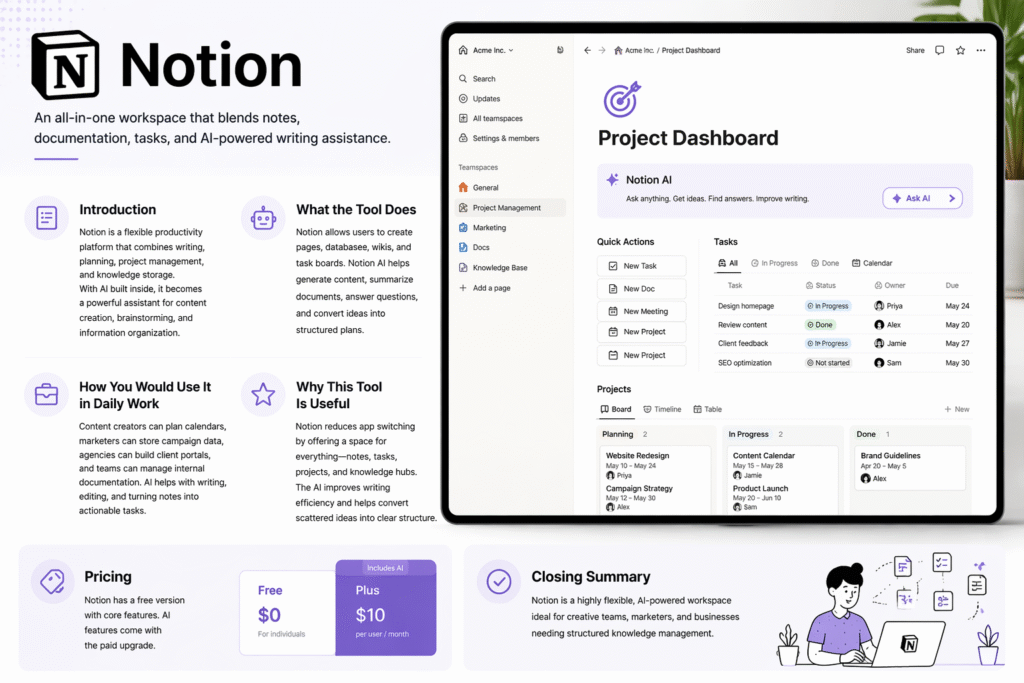
Notion is a versatile, all-in-one workspace designed to streamline your work, combine multiple productivity tools, and enhance efficiency with built-in AI capabilities. Whether you’re a content creator, marketer, or part of a dynamic team, it provides a centralized hub to manage notes, tasks, projects, and knowledge in one platform.
Introduction to Notion
In today’s fast-paced digital world, switching between multiple apps for writing, project management, and data storage can be time-consuming and inefficient. Notion solves this challenge by blending note-taking, documentation, task management, and AI-powered assistance into a single, unified workspace. Its flexibility allows users to create custom workflows, organize information intuitively, and collaborate seamlessly with teams. Notion AI further enhances productivity by generating content, summarizing documents, and transforming ideas into actionable tasks.
What Notion Can Do
it is more than just a note-taking app. Its key capabilities include:
- Customizable Pages and Databases – Create structured content with text, tables, galleries, and kanban boards tailored to your workflow.
- Task and Project Management – Organize your projects with task lists, deadlines, reminders, and progress tracking.
- Knowledge Hubs and Wikis – Build internal documentation, client portals, and knowledge repositories for teams and businesses.
- AI-Powered Writing Assistance – that AI can draft content, edit text, summarize documents, answer questions, and convert raw ideas into organized plans.
- Collaboration Tools – Share pages, assign tasks, and work in real-time with your team, keeping everyone aligned.
By combining these features, Notion becomes a powerful productivity suite that reduces the need to switch between multiple applications.
Using Notion in Daily Work
Notion adapts to multiple professional contexts:
- Content Creators: Plan editorial calendars, draft blog posts, store media assets, and brainstorm ideas—all in one place.
- Marketers: Track campaign data, manage leads, build marketing plans, and summarize analytics reports efficiently.
- Agencies: Create client-facing portals, maintain internal documentation, and manage project pipelines seamlessly.
- Teams & Businesses: Organize knowledge hubs, collaborate on projects, and assign tasks with real-time updates.
Notion AI enhances daily workflows by rewriting text, summarizing lengthy notes, generating creative content, and converting scattered ideas into structured tasks. This allows users to focus on high-value work instead of repetitive writing or organizational tasks.
Benefits of Using Notion
- Centralized Workspace: Notes, tasks, projects, and knowledge hubs exist under one platform, reducing app fatigue.
- Improved Efficiency: AI assistance accelerates content creation, edits, and document summarization.
- Flexibility and Customization: Design your workspace according to your team’s workflow, project type, or personal preference.
- Collaboration-Friendly: Teams can share, comment, and track work in real-time, ensuring smooth communication.
- Scalable for Individuals and Organizations: Suitable for freelancers, small teams, or large enterprises needing structured knowledge management.
Getting Started with Notion
Starting with Notion is simple:
- Choose a blank page or select a pre-made template.
- Add blocks such as text, headings, tables, to-do lists, and media.
- Use databases and boards to organize content, tasks, and projects.
- Leverage Notion AI to rewrite content, generate ideas, summarize lengthy notes, or answer queries.
- Share your workspace with team members or clients for seamless collaboration.
Pricing Overview
it offers a free plan with essential productivity features, while advanced AI capabilities are available through paid upgrades. Businesses and teams benefit from enhanced collaboration tools, priority support, and AI integrations under premium plans.
Conclusion
Notion is a highly flexible, AI-powered workspace that combines writing, planning, project management, and knowledge storage into a single platform. By centralizing work, improving collaboration, and leveraging AI assistance, it allows individuals and teams to streamline workflows, save time, and focus on what truly matters. Whether you’re managing personal projects, marketing campaigns, or enterprise-level documentation, it offers the tools and flexibility to increase productivity and maintain organized, efficient workspaces.