Introduction
Project management is no longer just about assigning tasks and checking deadlines. Teams now deal with constant updates, scattered conversations, meeting notes, documents, approvals, and shifting priorities. The real challenge is not only managing work, but finding the right information fast enough to make good decisions.
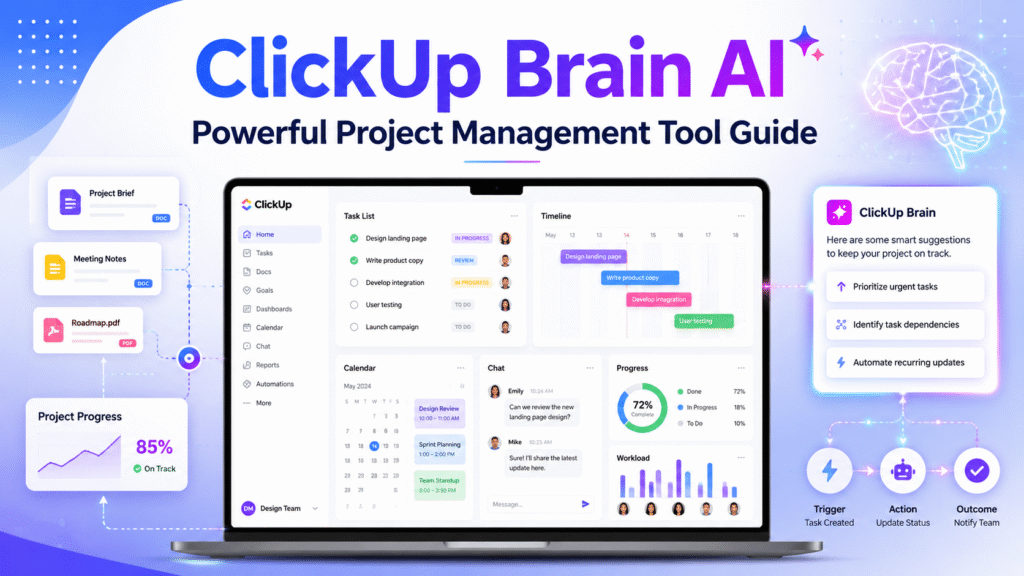
That is where ClickUp Brain AI becomes useful. It is designed to help teams work smarter inside ClickUp by connecting tasks, Docs, conversations, and company knowledge with AI. ClickUp describes Brain as a system that can turn prompts into finished work and use real tasks, Docs, and conversations to build outputs such as dashboards, emails, research, workflows, and summaries.
For project managers, marketers, developers, founders, and remote teams, this can save time on repetitive coordination work. Instead of manually reading long task threads or searching through Docs, teams can use ClickUp Brain AI to summarize, organize, and move work forward.
In this guide, we will explore what ClickUp Brain does, how it works as AI project management software, and how teams can use it as an AI task management tool, project planning AI, workflow automation tool, and team productivity software.
ClickUp Brain AI for Smarter Project Management
ClickUp Brain AI helps solve one of the biggest problems in modern teamwork: context switching. A project manager may need to check task status, read comments, summarize client feedback, update stakeholders, and create action items in the same day. Doing this manually takes time and creates room for mistakes.
As AI project management software, ClickUp Brain AI works inside the project environment instead of sitting separately from the work. This is important because AI becomes more useful when it understands the actual project context.
ClickUp says Brain can see tasks, Docs, and conversations, which means it can work with the information already inside the workspace. This makes it different from a general chatbot where users must explain everything from the beginning.
For example, a project manager can use ClickUp Brain AI to:
- Summarize a long task thread
- Create a project update
- Find duplicate tasks
- Generate subtasks
- Pull action items from a document
- Improve or summarize selected text
- Create a clearer workflow from project notes
ClickUp’s help center states that Brain can summarize tasks, provide project updates, find duplicate tasks, and create subtasks. These features make it a practical AI task management tool for busy teams.
Why Teams Need AI in Project Management
Teams often lose productivity because work is spread across too many places. A designer may update a task, a developer may comment in another thread, and a manager may keep the real priority in a document. When information is disconnected, decisions slow down.
ClickUp Brain AI supports better coordination by helping users turn scattered information into useful outputs. As a project planning AI, it can help convert rough notes into structured next steps. As a workflow automation tool, it can reduce repetitive writing and status update tasks.
PMI also notes that AI is reshaping project management by streamlining execution, improving decision-making, and helping teams deliver with more precision and impact. That makes tools like ClickUp Brain relevant for teams that want to improve speed without losing structure.
Key Features of ClickUp Brain AI
Task summaries and project updates
One of the most useful features of ClickUp Brain AI is task summarization. Long task threads can be difficult to review, especially when multiple team members add comments over several days.
With this AI task management tool, users can quickly understand what changed, what is pending, and what needs attention. This is helpful for managers who review many tasks daily.
A real-world example would be a marketing team preparing a campaign. Instead of reading every comment in a task, the manager can ask for a summary and quickly see whether design, copy, approval, and scheduling are complete.
Docs and knowledge management
ClickUp Brain AI can also work with Docs. ClickUp says Brain AI can engage with an entire Doc or selected content, generate executive summaries, create action items from project outlines, and improve or translate text.
This makes it valuable for teams that create briefs, meeting notes, SOPs, project documents, and client proposals. Instead of leaving important information buried inside documents, ClickUp Brain helps turn that information into tasks and next steps.
Workflow support
A workflow automation tool should reduce manual effort. ClickUp Brain AI can support workflows by helping create updates, organize information, and generate work from existing project context.
For example, after a client meeting, a project manager can paste notes into a Doc and use the tool to create action items. Those action items can then become tasks assigned to the right team members.
This kind of workflow saves time and helps reduce missed follow-ups.
How to Use ClickUp Brain AI Effectively
To get the best value from ClickUp Brain AI, teams need a clean workspace. AI works better when tasks, Docs, and comments are properly structured.
Start with clear task names. Instead of naming a task “Website issue,” use “Fix mobile header spacing on homepage.” Clear task names help the AI task management tool understand the work better.
Next, keep project Docs organized. Use headings, bullet points, and clear sections for objectives, deadlines, responsibilities, and decisions. This makes it easier for ClickUp Brain to summarize and extract action items.
A simple workflow for teams:
- Add project briefs into ClickUp Docs.
- Create tasks from each major deliverable.
- Use comments for updates and decisions.
- Ask ClickUp Brain AI to summarize progress.
- Generate weekly project updates.
- Review AI output before sharing with stakeholders.
This process helps project managers use AI project management software without losing human control. AI can assist, but final decisions should still come from the project owner.
For more related tools, you can explore our internal guide on AI productivity tool.
ClickUp Brain AI Use Cases
ClickUp Brain AI can support many types of teams.
| Team Type | How It Helps |
|---|---|
| Marketing teams | Campaign planning, content briefs, approval tracking |
| Development teams | Sprint summaries, bug tracking, task breakdowns |
| Agencies | Client updates, project reports, workflow documentation |
| Founders | Fast planning, task prioritization, internal knowledge search |
| Remote teams | Better async updates and fewer repeated questions |
For example, an agency can use ClickUp Brain as team productivity software to summarize each client project before a weekly meeting. A development team can use it as project planning AI to break large features into smaller subtasks.
The biggest benefit is not replacing people. The real benefit is reducing repetitive admin work so teams can focus on execution.
FAQ
What is ClickUp Brain AI?
ClickUp Brain AI is an AI assistant inside ClickUp that helps teams summarize tasks, manage Docs, create updates, generate workflows, and work with company knowledge.
Is ClickUp Brain AI good for project managers?
Yes. It is useful for project managers because it can summarize task threads, create project updates, find duplicate tasks, and generate subtasks.
Can ClickUp Brain AI replace a project manager?
No. ClickUp Brain AI should support project managers, not replace them. Human judgment is still needed for priorities, client communication, risk management, and final decisions.
Is ClickUp Brain AI an AI task management tool?
Yes. It works as an AI task management tool because it helps users manage tasks, summaries, updates, and subtasks inside ClickUp.
How does ClickUp Brain AI improve team productivity?
It improves team productivity by reducing manual searching, summarizing long discussions, creating action items, and helping teams understand project status faster.
Who should use ClickUp Brain AI?
ClickUp Brain AI is best for project managers, agencies, remote teams, marketers, developers, founders, and operations teams that already use or plan to use ClickUp.
Build Better Projects with ClickUp Brain AI
ClickUp Brain AI is a strong option for teams that want project management to feel less scattered and more intelligent. It combines task support, document summaries, project updates, and workflow help inside one workspace.
As AI project management software, it helps teams work with real project context. As an AI task management tool, it makes tasks easier to summarize and organize. As project planning AI and team productivity software, it helps reduce repetitive admin work and improve execution.
If your team already uses ClickUp, start by testing ClickUp Brain on one active project. Use it to summarize tasks, create updates, and turn Docs into action items. Then compare how much time your team saves each week.


