Introduction
Managing time is one of the biggest productivity problems for modern workers. You may have tasks in one app, meetings in your calendar, personal habits in your mind, and deadlines scattered across different tools. By the end of the day, it becomes difficult to know what to do next and when to do it.
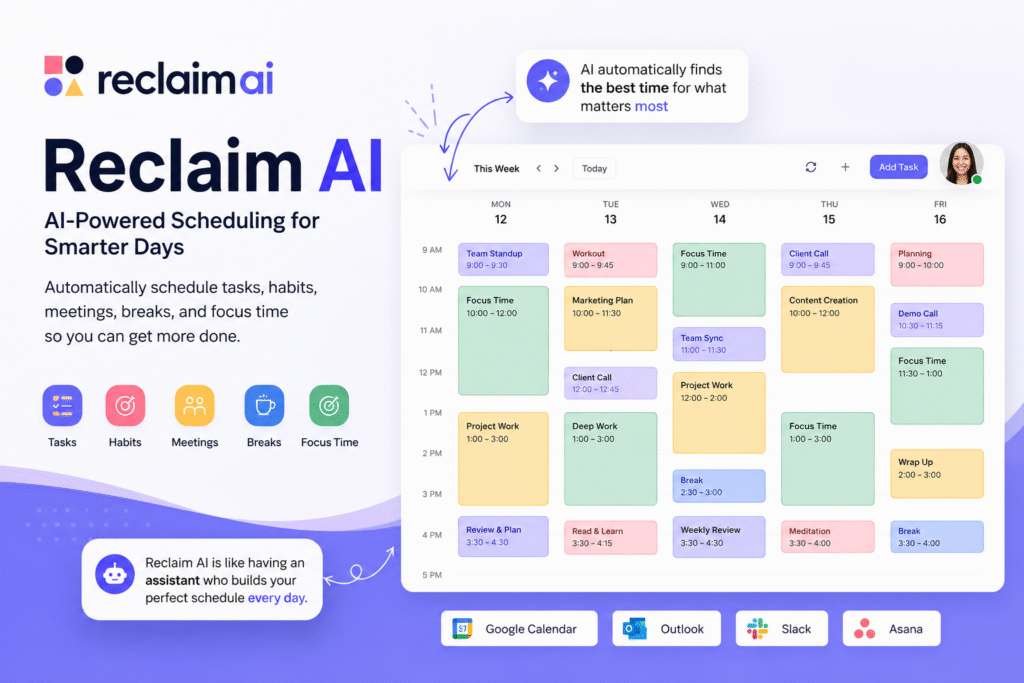
Reclaim AI helps solve this problem by automatically scheduling tasks, habits, meetings, breaks, and focus time into your calendar. Reclaim describes itself as an AI-powered app that creates more time for teams by auto-scheduling tasks, habits, meetings, and breaks across Google Calendar and Outlook.
The main value of Reclaim AI is that it turns planning into a smarter calendar workflow. Instead of manually dragging tasks into empty time slots, users can let the system find the best time based on availability, deadlines, and priorities. This makes it useful as an AI productivity tool, AI calendar app, AI task scheduler, time blocking app, smart scheduling tool, and AI time management tool.
In this guide, we will explore how Reclaim AI works, who should use it, its key features, practical use cases, and how to get better results from it.
How Reclaim AI Helps You Manage Time Better
Reclaim AI is built around one simple idea: your calendar should not only show meetings. It should also protect time for important work.
Most people use calendars only for fixed events such as meetings, calls, appointments, and deadlines. The problem is that real work also needs time. Writing reports, preparing presentations, reviewing data, learning new skills, and completing project tasks all need focused time blocks.
As an AI calendar app, Reclaim AI automatically schedules and reschedules calendar events when priorities or conflicts change. Reclaim’s help center says the platform can automatically schedule and reschedule events based on priorities, scheduling rules, availability, meetings, commitments, and upcoming task deadlines.
This is useful because a normal calendar is passive. It waits for you to add events manually. A smart scheduling tool can actively help organize your day.
For example, if you have a task due on Friday and your calendar is full of meetings, Reclaim can help find available time before the deadline. If a meeting gets added, the system can adjust flexible work blocks instead of forcing you to manually reorganize everything.
Key Features of Reclaim AI
Automatic task scheduling
One of the most useful features of Reclaim AI is automatic task scheduling. Instead of keeping tasks in a separate to-do list, users can schedule them directly into the calendar.
Reclaim’s task feature page says its AI scheduling agents can turn tasks from tools like Jira, Asana, ClickUp, Todoist, and more into focused calendar time automatically. It also says these agents prioritize work around meetings, deadlines, and availability.
This makes Reclaim AI useful as an AI task scheduler for busy professionals. A task like “prepare monthly report” can become a real calendar block instead of staying as a forgotten checklist item.
Focus time protection
Deep work is difficult when your calendar is filled with random meetings. Reclaim helps users protect focus time by automatically blocking time for priority work.
As a time blocking app, it can help users schedule important tasks during open calendar slots. This is especially useful for people who do creative, technical, strategic, or analytical work.
Examples of focus work include:
- Writing blog content
- Preparing client reports
- Reviewing ad performance
- Coding product features
- Planning weekly campaigns
- Studying or learning new skills
When focus time is visible in the calendar, it becomes easier to protect.
Habit scheduling
Productivity is not only about work tasks. Habits also matter. Reclaim AI can help schedule recurring habits such as lunch, exercise, reading, planning, or breaks.
This is helpful because many people forget personal routines when work becomes busy. An AI time management tool can make these habits visible and easier to maintain.
For example, instead of hoping you will find time to exercise, you can set a weekly goal and allow the system to place that habit into your calendar.
Meeting scheduling links
Reclaim AI also includes scheduling links. Reclaim’s help center explains that scheduling links allow users to share availability across one or multiple calendars so others can book time. It also includes prioritization controls for more important meetings.
This makes the tool useful for sales calls, interviews, client meetings, internal reviews, and team syncs. Instead of sending many messages to find a suitable time, users can share a booking link.
Who Should Use Reclaim AI?
Reclaim AI is useful for anyone who struggles with calendar overload or task planning.
| User Type | How Reclaim AI Helps |
|---|---|
| Freelancers | Schedule client work, admin tasks, and personal habits |
| Marketers | Protect time for content, reporting, and campaign planning |
| Project managers | Balance meetings, task follow-ups, and planning blocks |
| Students | Schedule study sessions, assignments, and routines |
| Remote teams | Improve shared availability and meeting planning |
| Founders | Protect strategy time while managing daily operations |
As an AI productivity tool, it is especially helpful for people who already use Google Calendar or Outlook Calendar. The Google Workspace Marketplace listing describes Reclaim.ai as an AI-powered scheduling app for Google Calendar and Outlook Calendar that finds the best time for focus time, meetings, tasks, habits, and breaks.
How to Use Reclaim AI Effectively
To get the best value from Reclaim AI, start by connecting your main calendar. Then add tasks, habits, and scheduling rules.
Do not add vague tasks like “marketing” or “website.” Use clear task names such as:
- Write homepage copy
- Review July performance report
- Prepare sales meeting notes
- Create Instagram content calendar
- Send proposal follow-up email
Clear tasks help the AI task scheduler understand what needs to be placed into the calendar.
A simple workflow:
- Connect Google Calendar or Outlook Calendar.
- Add your important tasks.
- Set deadlines and priority levels.
- Add recurring habits.
- Create focus time goals.
- Use scheduling links for meetings.
- Review the calendar daily.
The best approach is to let Reclaim AI automate the structure, but still review the final plan yourself. AI can help schedule your time, but you still need to decide what matters most.
For more similar tools, you can check our internal guide on AI productivity tool.
Pros and Limitations
Reclaim AI has strong benefits, but it also has some limits.
Pros:
- Automatically schedules tasks and habits
- Helps protect focus time
- Works with Google Calendar and Outlook
- Supports scheduling links
- Reduces manual calendar planning
- Useful for individuals and teams
Limitations:
- Works best when your calendar is updated
- Users still need to set clear priorities
- Too many tasks can make the calendar crowded
- AI scheduling needs regular review
The tool is most useful when you treat your calendar as a real planning system, not just a meeting list.
FAQ
What is Reclaim AI?
Reclaim AI is an AI-powered calendar and productivity platform that helps users automatically schedule tasks, meetings, habits, breaks, and focus time.
Is Reclaim AI an AI productivity tool?
Yes. It works as an AI productivity tool because it helps users plan work, protect focus time, organize tasks, and reduce manual scheduling.
Can Reclaim AI schedule tasks automatically?
Yes. Reclaim AI can schedule tasks into your calendar based on deadlines, availability, and priority.
Does Reclaim AI work with Google Calendar?
Yes. Reclaim supports Google Calendar, and it is also listed as an AI scheduling app for Google Calendar and Outlook Calendar.
Is Reclaim AI useful for teams?
Yes. Teams can use it for meeting scheduling, focus time protection, shared availability, and better calendar coordination.
Can Reclaim AI replace a to-do list?
It can replace a basic to-do list for many users because it turns tasks into scheduled calendar blocks. However, teams may still use project management tools alongside it.
Final Thoughts
Reclaim AI is a strong option for people who want to manage time more intelligently. It helps turn tasks, meetings, habits, breaks, and focus time into a real calendar plan.
As an AI calendar app, it makes scheduling more automatic. As a time blocking app, it protects space for focused work. As a smart scheduling tool, it reduces the back-and-forth of booking meetings. As an AI time management tool, it helps users understand where their time is actually going.
If your current calendar feels messy, try using Reclaim AI for one week. Add your tasks, set priorities, schedule habits, and review how much easier it becomes to plan your day.


