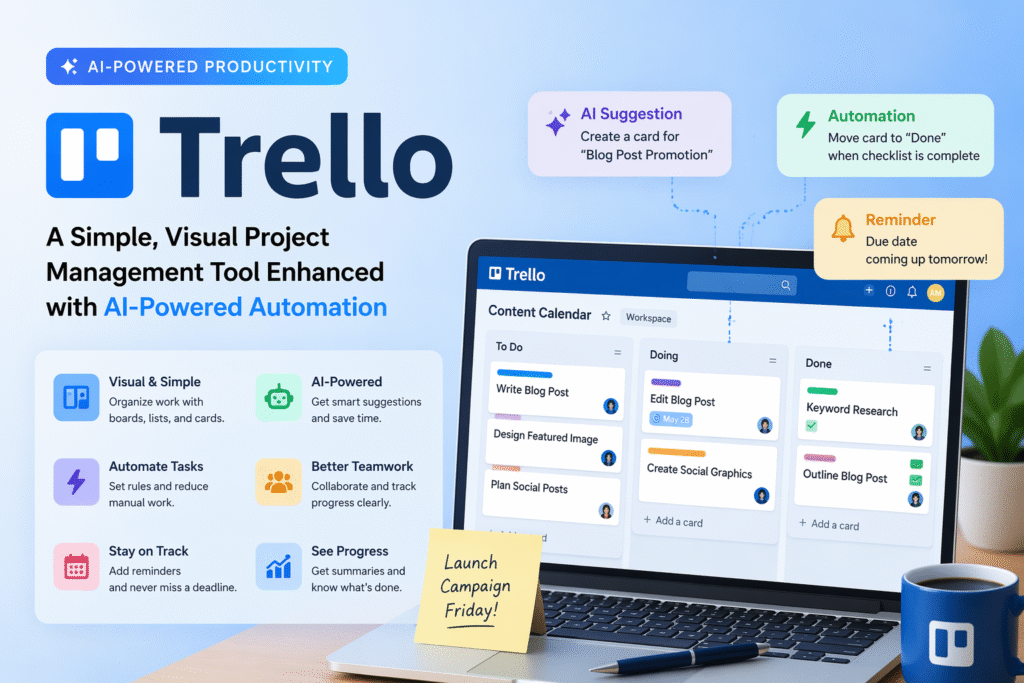
In today’s fast-paced work environment, organizing tasks efficiently is critical. Trello project management offers a simple yet powerful way to visually track tasks, collaborate with teams, and automate repetitive workflows. Its clean interface, intuitive boards, and AI-powered automation features make it suitable for both individuals and organizations.
What is Trello?
Trello is a Kanban-style project management tool that lets users create boards, lists, and cards to represent projects, tasks, and subtasks. Each board functions as a project workspace, while lists categorize tasks by status, priority, or department. Cards within the lists provide detailed information such as deadlines, attachments, checklists, and comments. With the addition of AI and automation, Trello enhances productivity by reducing manual updates and streamlining communication.
Key Features of Trello
- Visual Task Management: Trello’s drag-and-drop interface allows teams to easily see project progress at a glance. Users can move cards across lists representing stages like “To-Do,” “Doing,” and “Done.”
- AI Automation: AI-powered automation rules can auto-create cards, trigger reminders, and summarize project progress, saving teams hours of repetitive work.
- Customizable Boards: Each it board is flexible and can be customized with colors, labels, and attachments to match team needs.
- Integration Capabilities: it connects seamlessly with other tools like Slack, Google Workspace, Jira, and Zapier, making it a central hub for collaborative work.
- Collaboration & Communication: Team members can comment on cards, assign tasks, and attach files to ensure everyone stays aligned.
How to Use Trello in Daily Work
it is versatile for multiple use cases:
- Content Calendar Management: Organize blog posts, social media campaigns, and marketing initiatives using visual boards. AI automation can remind team members of deadlines.
- Client Pipeline Tracking: Keep track of client interactions, proposals, and ongoing projects. Cards can include notes, due dates, and attachments for easy reference.
- Campaign Workflow Management: Automate repetitive steps such as moving a card to “Done” after a task is completed, or sending notifications when a card is updated.
- Team Task Lists: For small teams, it provides an overview of responsibilities, helping avoid missed tasks or duplicated efforts.
Benefits of Using Trello
- Enhanced Productivity: By reducing manual updates through Trello AI automation, teams can focus more on high-value work.
- Clear Visualization: The visual board system ensures every team member understands priorities and progress.
- Easy Adoption: Trello’s simplicity and intuitive design allow users to start managing projects without extensive training.
- Centralized Collaboration: Comments, file attachments, and checklists within cards make communication clear and efficient.
- Scalability: Whether you are an individual freelancer or a large enterprise, it scales to meet project demands.
Getting Started with Trello
- Create a Board: Begin by creating a project board for your workflow.
- Add Lists: Use lists like “To-Do,” “Doing,” and “Done” to categorize tasks.
- Create Cards: Each card represents a task or milestone. Add due dates, attachments, checklists, and assign team members.
- Set Automation Rules: Use Trello’s built-in automation features to move cards, trigger reminders, or update statuses automatically.
- Integrate Tools: Connect it with productivity tools like Slack, Gmail, or calendar apps to enhance workflow management.
Pricing Overview
that offers a free plan that includes basic boards, lists, and cards. Paid plans unlock advanced features like premium Trello AI automation, additional integrations, and workspace management controls, making it suitable for larger teams and complex workflows.
Closing Summary
Trello remains one of the easiest and most visual project management tools, combining simplicity with the power of automation. Its intuitive interface, flexible boards, and AI-enhanced features allow individuals and teams to streamline workflows, increase productivity, and keep projects on track effortlessly. For anyone seeking a tool to simplify project management, it is a reliable choice.